
Create Social Media Posts with AI
Easily design your own social media posts with our free AI image generator. No design experience needed!
2 years ago
How To Post
Created 2 years ago · 10 comments· 0 likes
Uploaded
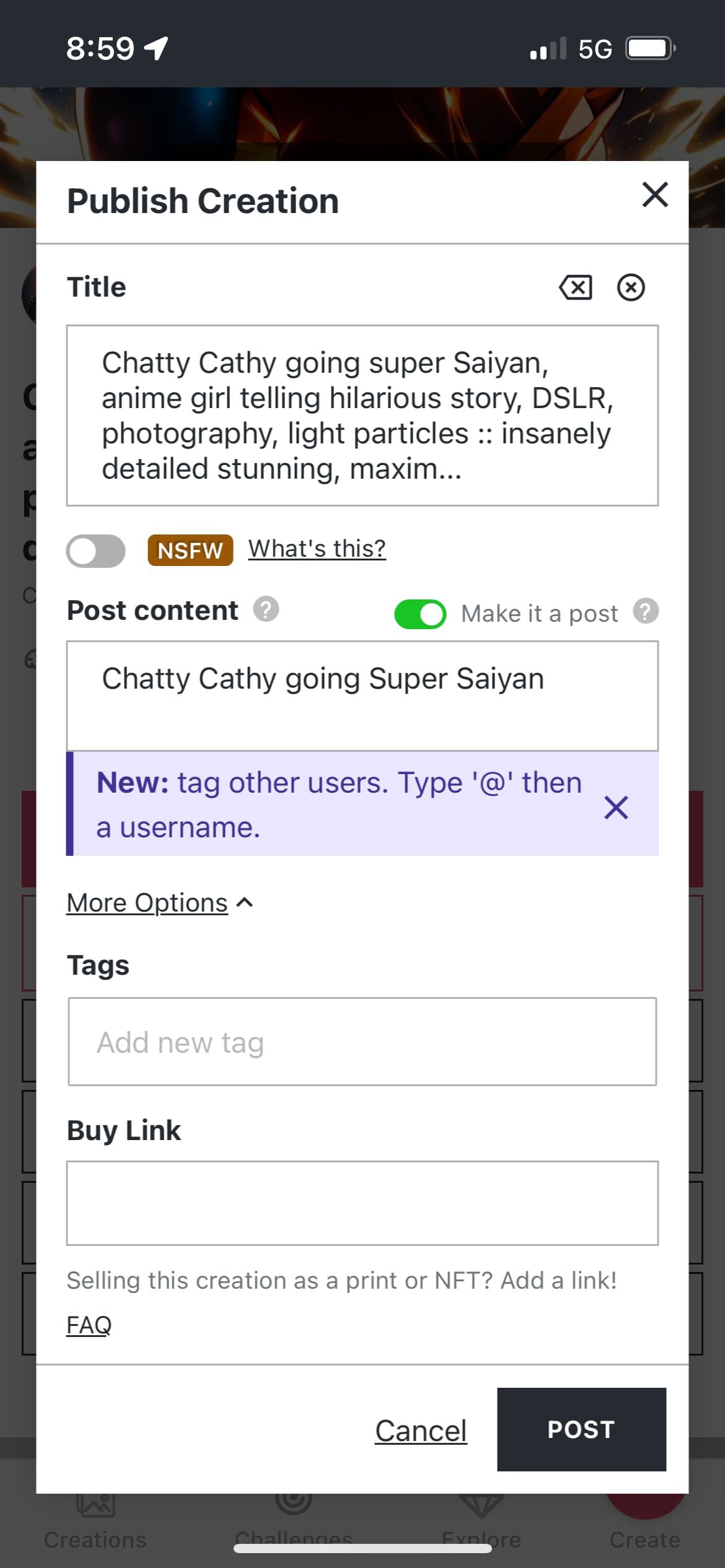
How To Post: Tap the big Publish button. In the dialog, toggle the Post switch available inside. If you only have a title, that will be overlayed on the Post. If there’s any description, that will be displayed instead.
10 Comments
Join the conversation



if you set the title and leave the descrition empty it will have the same effect when you publish as post 😉

Creation Settings
This creation was not made on NightCafe.
- Model
Night Café
- Prompts
- N/A
- Workflow
Screenshot






How to post a creation made outside of nightcafe studio?