

Create your own surreal art with AI
Create your own uncanny surreal art for free! Our AI image generator makes it easy to explore the bizarre and beautiful.
Uncanny surreal
Created a year ago · 3 comments· 0 likes
Google Imagen 3.0 Fast
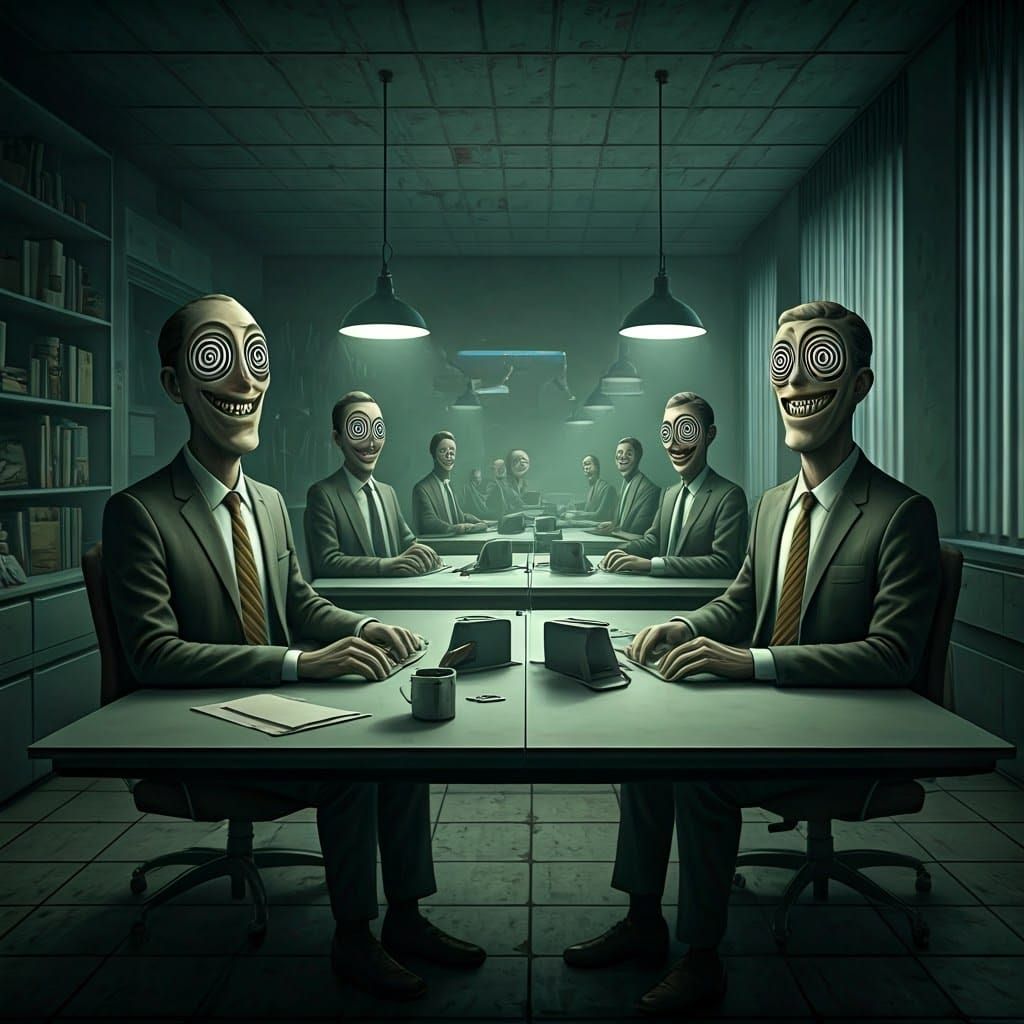
To create uncanny and surreal office scenes, start by focusing on ordinary settings like offices and subtly distort them. Use eerie, muted lighting to enhance the unnatural feel. The key to achieving the uncanny effect is in the details—add elements like overly stiff postures, exaggerated or frozen smiles, and eyes with hypnotic spirals. Incorporate subtle distortions in proportions or textures to make the scene unsettling yet familiar.
Use muted or cold colors to give an eerie atmosphere, avoiding overly vibrant palettes. Combine influences from surrealism and industrial sci-fi aesthetics for an otherworldly yet familiar environment. Add small unsettling details like awkward furniture placement or unusual objects, always balancing familiarity with strangeness.
Unsettling Surreal Office Scene in Sci-Fi Style
This image shows an unnerving, surreal office environment populated by people sitting at desks. The scene is enhanced by spiral-eyed figures, stiff postures, and harsh lighting, in a surreal and industrial sci-fi style.
Created by gullyDJ on Sep 12, 2024 using the Google Imagen 3.0 Fast AI image generator model.
Creation Settings
- Text Prompts
- "An uncanny office scene with surreal people sitting at desks, awkwardly smiling. Their hypnotized spiral eyes and stiff postures enhance the unsettling atmosphere. The office feels overly sterile, with harsh lighting and bland furniture. The surreal nature is emphasized by distorted proportions, and ...Weight: 1
- Model
- Initial Resolution
Thumb
- Aspect Ratio
1:1

Great picture, follow