

- Galleries
- 2025 iPhone Wallpaper Gallery
2025 iPhone Wallpapers
Explore a collection of futuristic and artistic 2025 iPhone wallpapers. Get inspired by AI-generated designs and create your own unique wallpaper to personalize your device.

As seen in








2025 iPhone Wallpaper Gallery
A curated selection of AI-generated wallpapers perfect for the upcoming 2025 iPhone models, featuring modern aesthetics and cutting-edge designs.


Didn't find what you were looking for? Create your own below!
Create your own 2025 iPhone Wallpapers images
Discover the magic of Text to Image AI by creating your own unique images. Edit the prompt below to customize your creation.
No payment or credit card required.

Futuristic Visuals, Effortlessly
Stunning AI-generated Wallpapers For Your Iphone
Discover a universe of breathtaking 2025 iPhone wallpapers, meticulously crafted by advanced AI. Each design offers a glimpse into the future, blending artistic flair with cutting-edge aesthetics. Elevate your device's look with unique, high-quality visuals that stand out from the crowd, making your iPhone truly yours.
Create Your 2025 iPhone Wallpaper
Step 1
Describe Your Wallpaper Vision
Start by describing the futuristic or artistic vision for your 2025 iPhone wallpaper in the prompt box. Think about colors, themes, and styles that resonate with you – the more detail, the better the AI can capture your idea.
Step 2
Generate Your Wallpaper
After entering your prompt, click the 'Generate' button. Our AI will then work its magic, transforming your words into a stunning, unique wallpaper for your iPhone.
Step 3
Download & Personalize
Once your wallpaper is ready, you can download it in high resolution to personalize your iPhone. Feel free to share your creation with others or try generating variations to find the perfect fit!

Personalize Your Screen Instantly
Generate AI Iphone Backgrounds For Your Device
Transform your iPhone with custom AI iPhone Backgrounds. Our intuitive tools allow you to generate unique backgrounds tailored to your style. Whether you seek minimalist elegance or bold, abstract art, you can easily create and download AI iPhone Backgrounds that perfectly complement your device and express your individuality.
More Galleries

Husky Images - AI Generated
Explore a gallery of amazing AI-generated Husky images. Get inspired by unique husky art and create your own captivating husky pictures with NightCafe's AI.
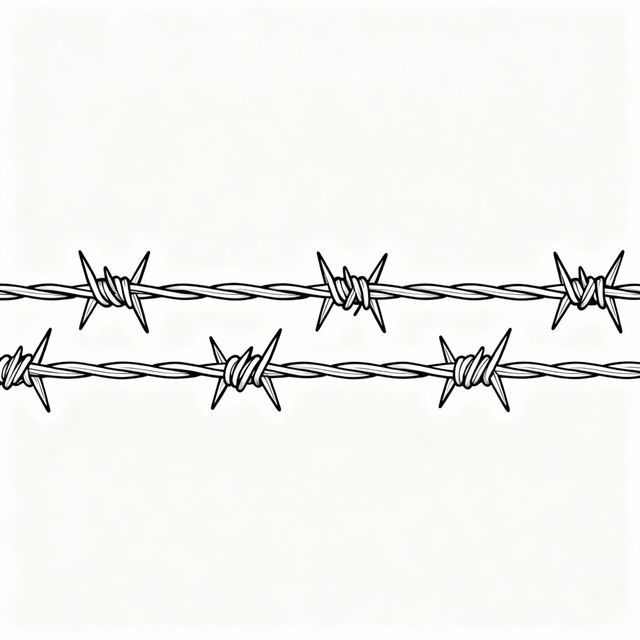
Barbed Wire Drawing - Easy AI Creations
Discover how to create easy barbed wire drawings using AI. Explore a gallery of simple, yet striking barbed wire art and learn to generate your own unique designs.

Gear Clip Art - Made With AI
Discover a wide range of gear clip art, perfect for technical drawings, mechanical designs, or industrial themes. Create your own custom gear clip art with AI on NightCafe.

Luxury Towel Warmer Images
Explore a curated gallery of AI-generated luxury towel warmers. Visualize elegant designs and premium features to inspire your ideal spa-like bathroom experience.
Frequently Asked Questions
Your Questions About 2025 iPhone Wallpapers Answered
How are these 2025 iPhone wallpapers created?
Our 2025 iPhone wallpapers are generated using advanced Artificial Intelligence models. These AI systems interpret creative prompts to produce unique, futuristic, and artistic designs that are perfect for personalizing your iPhone.
Can I customize the AI-generated wallpapers to fit my personal style?
Absolutely! While the gallery showcases AI-generated designs, NightCafe provides intuitive tools that allow you to create your own unique iPhone backgrounds. You can tailor them to your style, whether you prefer minimalist elegance or bold abstract art.
What makes these wallpapers suitable for an iPhone in 2025?
The wallpapers are designed with a futuristic and cutting-edge aesthetic, reflecting anticipated trends in design and technology for the year 2025. They offer high-quality visuals that will keep your device looking modern and stylish.
How do I download and use a wallpaper on my iPhone?
Once you have generated or selected a wallpaper you love, you can typically download it directly from the platform. After downloading, you can set it as your iPhone's wallpaper through your device's settings menu under 'Wallpaper'.