

- Galleries
- 32 Bit Pixel Art Creations
32 Bit Pixel Art
Dive into the nostalgic world of 32 Bit Pixel Art. Browse unique creations and generate your own retro-style pixel art with our AI tools.

As seen in








32 Bit Pixel Art Creations
A curated collection of 32 Bit Pixel Art, showcasing nostalgic designs and modern interpretations created by AI. Perfect for inspiration.


Didn't find what you were looking for? Create your own below!
Create your own 32 Bit Pixel Art images
Discover the magic of Text to Image AI by creating your own unique images. Edit the prompt below to customize your creation.
No payment or credit card required.

Nostalgic Visuals Await
Explore Stunning 32 Bit Pixel Art
Immerse yourself in a curated collection of breathtaking 32 Bit Pixel Art. Each piece captures the charm of retro aesthetics with a modern, AI-enhanced touch. Discover unique scenes and characters that evoke a sense of wonder and adventure, showcasing the limitless creative potential within this beloved art style.
Create Your Own 32 Bit Pixel Art
Step 1
Describe Your Pixel Art Vision
Enter a detailed description of the pixel art you envision in the prompt box. Think about the style, colors, subject matter, and any specific retro elements you'd like to include. The more descriptive your prompt, the closer the AI can get to your desired 32-bit aesthetic.
Step 2
Generate Your Pixel Art
Once your prompt is ready, click the "Generate" button. Our AI will process your request and create a unique piece of 32-bit pixel art based on your input, bringing a touch of retro magic to your screen.
Step 3
Download & Share Your Creation
After generation, you can download your completed pixel art in high resolution. Feel free to share your retro creation with friends or the community, or use it in your own projects!

Create Your Masterpiece
Generate Your Own Retro Pixel Art With AI
Unleash your inner artist with our intuitive Retro Pixel Art Generator. Transform your ideas into unique, nostalgic visuals. Whether you're designing game assets, unique characters, or captivating scenes, our AI tools empower you to Generate Your Own Retro Pixel Art with AI, bringing your vision to life in classic pixelated glory.
More Galleries
Drawings With Pencil
Discover the art of pencil drawings. Browse a gallery of stunning AI-generated pencil sketches and learn how to create your own realistic drawings with NightCafe.
People Dancing Drawings - AI Generated Art
Discover a vibrant gallery of AI-generated drawings featuring people dancing. Get inspired by diverse styles and poses, then create your own dynamic dance art with NightCafe.
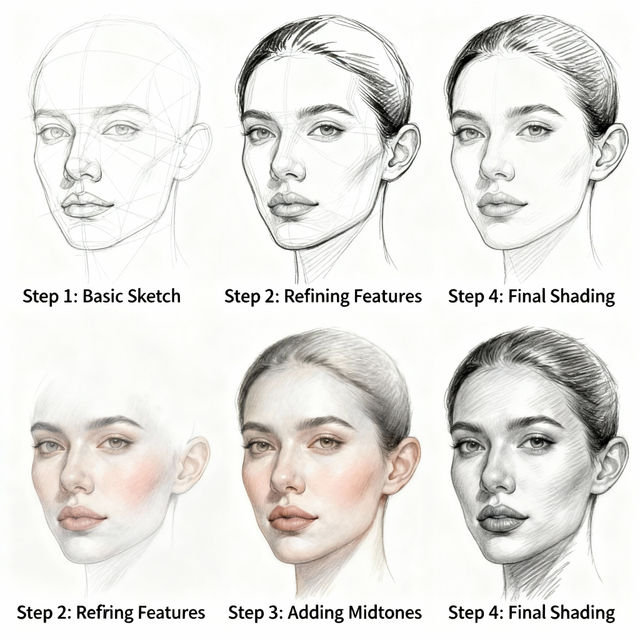
Realistic Face Drawing Step By Step
Explore our collection of AI-generated realistic face drawings. Follow step-by-step guides to learn the art of portraiture and create your own stunningly lifelike faces.
Doodling Art
Discover a world of Doodling Art created by AI. Browse unique doodles and get inspired to create your own expressive artwork with NightCafe's AI tools.
Frequently Asked Questions
Your Questions About 32 Bit Pixel Art, Answered
What exactly is 32 Bit Pixel Art, and how does the AI generate it?
32 Bit Pixel Art is a style that combines the charm of classic pixel art with a richer color palette and more detail, often reminiscent of early 32-bit era graphics. Our AI tools analyze vast datasets of pixel art and retro graphics to understand the style, color theory, and common motifs. When you provide a prompt, the AI uses this knowledge to generate new images that emulate the distinctive look and feel of 32-bit pixel art.
How can I create my own 32 Bit Pixel Art using NightCafe's AI?
To create your own 32 Bit Pixel Art, start by using our Retro Pixel Art Generator. Begin with a descriptive text prompt that outlines the scene, characters, or objects you envision. You can also experiment with different styles and keywords related to '32 bit pixel art,' 'retro game,' 'nostalgic,' or specific game genres to guide the AI. Don't hesitate to iterate and refine your prompts to achieve the desired aesthetic.
What are some good prompts or keywords to get the best 32 Bit Pixel Art results?
For optimal results, try prompts that clearly define your subject and desired mood. Include terms like '32-bit pixel art,' 'retro game aesthetic,' 'nostalgic scene,' '80s video game style,' or 'SNES-inspired.' Specifying elements like 'cyberpunk city,' 'fantasy landscape,' 'sci-fi spaceship,' or 'pixelated character' will also help. Adding details about color palettes (e.g., 'vibrant colors,' 'muted tones') and lighting can further enhance the output.
Can I use the 32 Bit Pixel Art I create for commercial projects, like game development?
The usage rights for AI-generated art can depend on various factors. Please refer to our Terms of Service for detailed information regarding the commercial use of images created with NightCafe's tools. We aim to provide flexibility while ensuring responsible usage for all our creators.