

- Galleries
- AI Picture Remover Examples
AI Picture Remover
Discover how our AI Picture Remover can help you clean up your images. Easily remove unwanted objects and distractions to create perfect photos. Try it now!

As seen in








AI Picture Remover Examples
Explore a gallery of images demonstrating the power of AI to remove unwanted objects, people, or distractions, leaving your photos pristine.


Didn't find what you were looking for? Create your own below!
Create your own AI Picture Remover images
Discover the magic of Text to Image AI by creating your own unique images. Edit the prompt below to customize your creation.
No payment or credit card required.

Perfect Photos In Seconds
Effortlessly Remove Objects From Photos With AI
Our advanced AI Picture Remover technology precisely targets and eliminates unwanted elements from your photographs. Whether it's a distracting photobomber or a stray object, achieve clean, professional-looking results with just a few clicks. Transform your casual snapshots into polished images effortlessly.
Effortlessly Remove Objects with AI Picture Remover
Step 1
Upload and Mark Unwanted Objects
Start by uploading the photo you wish to edit into the AI Picture Remover. Once uploaded, use the brush tool to carefully mark the objects or distractions you want to remove. Be precise to ensure the best results.
Step 2
Initiate Object Removal
After marking the areas for removal, click the 'Remove' button. Our advanced AI will then process the image, intelligently filling in the background and leaving your photo clean and free of distractions.
Step 3
Download or Share Your Perfected Photo
Once the AI has finished removing the selected objects, review the results. You can then download your cleaned-up image in high resolution or share it to showcase your enhanced photo.

Focus On Your Subject
Generate Stunning Images With An AI Background Remover
Isolate your subject with unparalleled precision using our AI Background Remover. Create professional product shots, compelling portraits, or unique composite images by seamlessly removing and replacing backgrounds. This tool empowers you to Generate Stunning Images with an AI Background Remover, perfect for marketing, design, or personal projects.
More Galleries
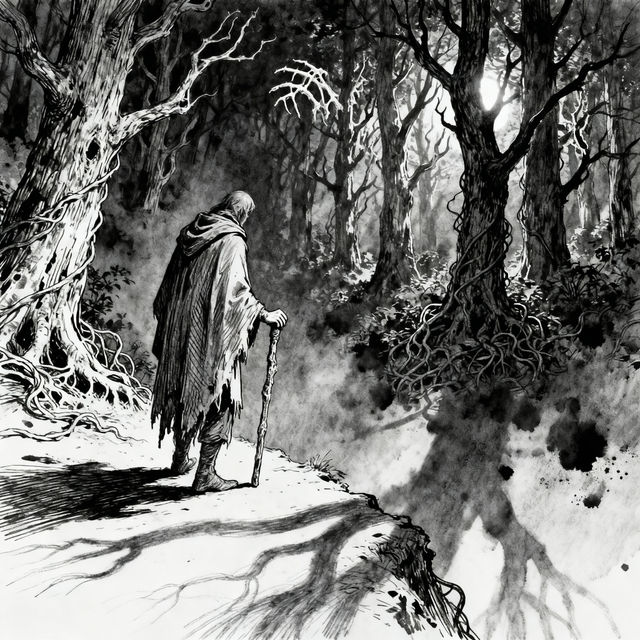
Sketch Chapter 1 - AI Art
Discover and create unique 'Sketch Chapter 1' art. Our AI transforms your ideas into captivating visuals, perfect for illustrating the beginning of any story.
What Type Of Art Is AI Art?
Curious about AI art? Explore the diverse styles and techniques behind AI-generated art. Discover who is responsible for making it and find inspiration for your own creations.

Human Easy Drawing Art - Made With AI
Discover the simplicity of human easy drawing with AI. Browse our collection of accessible and artistic human figure sketches, perfect for inspiration or learning.

Realistic Ocean Waves Drawing
Explore stunning realistic ocean waves drawings created by AI. Get inspired by the power and beauty of the sea, and generate your own breathtaking ocean art.
Frequently Asked Questions
Frequently Asked Questions About the AI Picture Remover
How does the AI Picture Remover work?
Our AI Picture Remover uses advanced algorithms to intelligently identify and remove unwanted objects or distractions from your photos. You simply upload your image, select the area you want to clean up, and the AI does the rest, leaving you with a polished, professional-looking result.
What kind of objects can the AI Picture Remover remove?
The AI Picture Remover is designed to handle a wide range of unwanted elements. This includes distracting photobombers, stray objects, blemishes, or any other element that detracts from your subject. It excels at creating clean images by precisely isolating and eliminating these distractions.
Can I use this tool to remove backgrounds as well as objects?
Yes, absolutely! In addition to removing specific objects, our AI technology also functions as a powerful AI Background Remover. You can seamlessly remove backgrounds to isolate your subject, create professional product shots, compelling portraits, or composite images.
Is the AI Picture Remover easy to use for beginners?
Yes, the AI Picture Remover is designed for ease of use. With just a few clicks, you can upload your image, mark the areas for removal, and let our AI technology transform your photo. It's perfect for both casual users and professionals looking for quick, high-quality results.