

- Galleries
- iPhone Wallpaper Gallery
iPhone Wallpaper Ideas
Explore a gallery of stunning iPhone wallpapers. Find inspiration for your next background and learn how to easily delete old ones to keep your device fresh and personalized.

As seen in








iPhone Wallpaper Gallery
Discover a curated collection of beautiful and unique AI-generated wallpapers perfect for your iPhone. Refresh your device's look with these stunning visuals.


Didn't find what you were looking for? Create your own below!
Create your own iPhone Wallpaper Ideas images
Discover the magic of Text to Image AI by creating your own unique images. Edit the prompt below to customize your creation.
No payment or credit card required.

Personalize Your Device
Creative Wallpapers For Your Iphone
Discover a diverse collection of eye-catching iPhone wallpapers designed to make your device stand out. From abstract art to serene landscapes, find the perfect backdrop. Plus, learn simple tips for deleting old wallpapers on iPhone to keep your screen looking fresh and organized.
Create Your Perfect iPhone Wallpaper
Step 1
Describe Your Wallpaper Vision
Begin by describing your ideal iPhone wallpaper in the prompt box. Think about colors, themes, styles (e.g., minimalist, abstract, nature, futuristic), and any specific elements you want to see. The more detail you provide, the better the AI can match your vision.
Step 2
Generate Your Unique Wallpaper
After entering your prompt, click the 'Generate' button. Our AI will process your description and create a unique wallpaper design tailored to your specifications. You can regenerate if you'd like to explore different variations.
Step 3
Download and Organize
Once you're happy with the generated wallpaper, you can easily download it to your device. If you wish to keep your phone fresh, check out the tips on how to delete old wallpapers to make space for your new personalized design.

Endless Design Possibilities
Generate Unique AI Wallpapers For Your Iphone
Unleash your creativity with our AI Wallpaper Generator. Craft truly unique AI wallpapers for your iPhone that reflect your personal style. Simply describe your vision, and watch as our advanced models bring it to life, offering an infinite source of fresh, personalized backgrounds.
More Galleries

Rugby Ball Drawing
Explore a gallery of unique rugby ball drawings created by AI. Get inspired by different artistic styles and then generate your own rugby ball art with NightCafe.

Ski Clip Art - Made With AI
Explore a vibrant collection of AI-generated ski clip art, perfect for your winter designs. Create custom skiing graphics and add a unique touch to your projects.
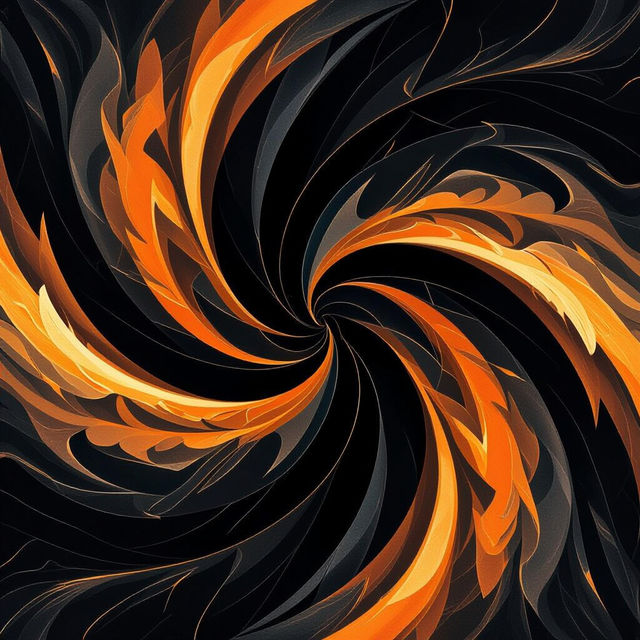
Black And Orange Wallpapers
Discover a striking collection of black and orange wallpapers. Perfect for adding a bold aesthetic to your devices. Generate your unique black and orange wallpaper today!

HSG Images - Generated by AI
Discover a unique collection of HSG images created with AI. Browse diverse styles and themes, then generate your own AI art on NightCafe to bring your visions to life.
Frequently Asked Questions
Your Questions About iPhone Wallpaper Ideas, Answered
How do I create unique AI-generated iPhone wallpapers?
You can create unique AI wallpapers by using our AI Wallpaper Generator. Simply describe your desired aesthetic, theme, or elements in text, and our advanced AI models will generate fresh designs tailored to your vision. Experiment with different keywords for abstract art, serene landscapes, futuristic patterns, or anything else that inspires you.
What kind of designs can I find in this iPhone Wallpaper gallery?
This gallery features a diverse collection of stunning iPhone wallpapers designed to make your lock screen pop. You'll find inspiration ranging from abstract art and tranquil landscapes to modern, minimalist, and vibrant designs. The goal is to offer a wide variety of styles to suit different tastes and moods.
How can I keep my iPhone's wallpaper collection organized?
Keeping your iPhone wallpapers fresh and organized is simple. Periodically review your saved wallpapers and delete any old ones you no longer use. You can do this directly through your iPhone's Photos app or Settings. Regularly clearing out older designs ensures you always have space for new favorites and keeps your device looking personalized.
Can I use the AI-generated wallpapers for personal use on my iPhone?
Yes, the AI-generated wallpapers created using our tools are intended for your personal use to personalize your iPhone's lock screen and home screen. Enjoy exploring different designs and finding the perfect backdrop that reflects your unique style.