

- Galleries
- AI Fireworks Drawings Gallery
Fireworks Drawings - AI Generated
Discover a vibrant gallery of AI-generated fireworks drawings. Get inspired by dazzling displays and create your own unique fireworks art with NightCafe.

As seen in








AI Fireworks Drawings Gallery
A collection of beautiful AI-generated fireworks drawings, perfect for inspiration or creating your own festive and celebratory digital art.


Didn't find what you were looking for? Create your own below!
Create your own Fireworks Drawings - AI Generated images
Discover the magic of Text to Image AI by creating your own unique images. Edit the prompt below to customize your creation.
No payment or credit card required.

Vibrant And Dazzling Displays
Explore Stunning Fireworks Drawings
Dive into a breathtaking gallery of AI-generated fireworks drawings, each a masterpiece of light and color. These intricate designs capture the explosive beauty of pyrotechnics in a unique artistic medium. Find inspiration for your next project or simply marvel at the diverse and stunning fireworks drawings created by our advanced AI.
How to Create Stunning Fireworks Art
Step 1
Describe Your Fireworks Vision
Start by describing the fireworks you envision in the prompt box. Be specific about colors, shapes, patterns, and the overall mood you want to capture – think 'vibrant exploding stars' or 'elegant golden trails'. The more detail you provide, the more unique your creation will be!
Step 2
Generate Your Fireworks Art
Once your prompt is ready, simply click the 'Generate' button. Our AI will then work its magic, transforming your words into a dazzling and unique fireworks drawing.
Step 3
Download & Share Your Masterpiece
After your artwork is created, you can download it in high resolution to use as you wish. Feel free to share your stunning fireworks drawing with the NightCafe community and inspire others!

Your Vision, AI's Canvas
Create Stunning Fireworks Art With AI
Transform your imagination into reality with NightCafe's AI tools. Effortlessly create stunning fireworks art that pops with energy and creativity. Whether you're designing for a special event, a digital canvas, or personal expression, our platform empowers you to generate unique and eye-catching fireworks art in just a few clicks.
More Galleries
Tulip Tree Pictures - Stunning AI Creations
Discover breathtaking Tulip Tree Pictures created by AI. Browse a diverse gallery of artistic interpretations and generate your own unique images of these majestic trees.
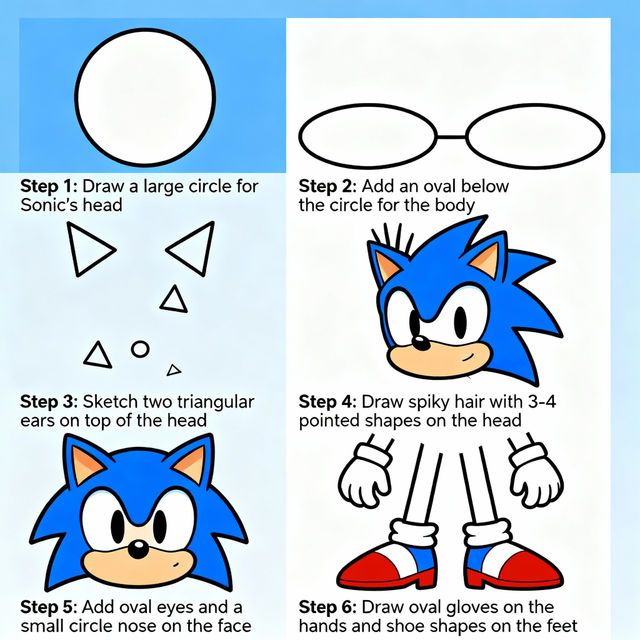
Easy Sonic Drawings
Explore a gallery of easy Sonic drawings created with AI. Learn how to draw Sonic the Hedgehog step-by-step and unleash your creativity with our drawing tools.

Easy Flower Sketch Drawing
Explore beautiful and easy flower sketch drawings created by AI. Get inspired and learn to draw your own floral art with simple, elegant designs. Perfect for beginners.
Etch A Sketch Doodle Art
Explore a unique gallery of Etch A Sketch doodle art. See how AI can recreate the classic toy's charm, then try creating your own nostalgic doodles today.
Frequently Asked Questions
Everything You Need to Know About Creating Fireworks Drawings with AI
How can I generate my own unique fireworks drawings?
To create your own fireworks drawings, start by entering descriptive prompts into NightCafe's AI art generators. Think about the colors, shapes, and overall mood you want to convey. You can specify different types of fireworks, like 'sparkling fountains,' 'bursting peonies,' or 'willow trees,' and describe the background, such as 'a dark night sky' or 'over a cityscape.' Experiment with different keywords and styles to achieve a unique result.
What makes these AI-generated fireworks drawings so visually stunning?
Our AI models are trained on vast datasets of imagery, allowing them to understand and replicate the complex patterns, vibrant colors, and dynamic energy of real fireworks. The AI can combine elements in novel ways, generating intricate details and artistic interpretations that capture the explosive beauty of pyrotechnics in a unique artistic medium.
Can I use the fireworks drawings I create for commercial projects?
Yes, you can use the fireworks drawings you create with NightCafe for commercial purposes. However, please ensure you review our Terms of Service for specific guidelines regarding usage rights and attribution. Generally, you can use them for branding, digital art, event promotions, and more, as long as you comply with our policies.
What kind of styles can I achieve when creating fireworks art?
NightCafe offers a variety of AI models and styles that can be applied to your fireworks drawings. You can aim for hyperrealistic depictions, abstract interpretations, painterly styles, or even cartoonish designs. Experiment with different models like Stable Diffusion, DALL-E, or others available on our platform, and incorporate style keywords into your prompts, such as 'watercolor,' 'digital art,' 'cinematic lighting,' or 'vector illustration.'