

- Galleries
- Lightning Strike Drawings Gallery
Lightning Strike Drawings
Explore a gallery of dramatic AI-generated lightning strike drawings. Get inspired by powerful natural phenomena and create your own electrifying art with NightCafe.

As seen in








Lightning Strike Drawings Gallery
A collection of AI-generated drawings capturing the raw power and beauty of lightning strikes in various artistic styles.


Didn't find what you were looking for? Create your own below!
Create your own Lightning Strike Drawings images
Discover the magic of Text to Image AI by creating your own unique images. Edit the prompt below to customize your creation.
No payment or credit card required.

Dramatic Natural Phenomena
AI-generated Lightning Strike Art
Witness the raw power of nature captured through AI. Our gallery showcases stunning, AI-generated lightning strike drawings, each a unique interpretation of this electrifying phenomenon. Explore these dramatic visuals for inspiration or to spark your own creative lightning.
Create Your Own Electrifying Lightning Art
Step 1
Describe Your Lightning Vision
Begin by describing the lightning strike you envision in the prompt box. Be specific about the storm's intensity, the colors you'd like to see, and any surrounding elements like landscapes or silhouettes. The more detail you provide, the more accurately the AI can capture your idea.
Step 2
Generate Your Storm Art
After crafting your prompt, simply click the 'Generate' button. Our AI will then work its magic, transforming your description into a unique and powerful lightning strike drawing.
Step 3
Download or Share Your Creation
Once your electrifying artwork is ready, you can download it in high resolution or share it with the NightCafe community to inspire others. Showcase your unique take on nature's power!

Create Electrifying Visuals
Generate Storm Art With AI
Harness the power of AI to generate your own breathtaking storm art. Our advanced models can translate your ideas into dynamic visuals, perfect for capturing the intensity of thunderstorms. Start creating your own electrifying storm art today and bring the tempest to life.
More Galleries
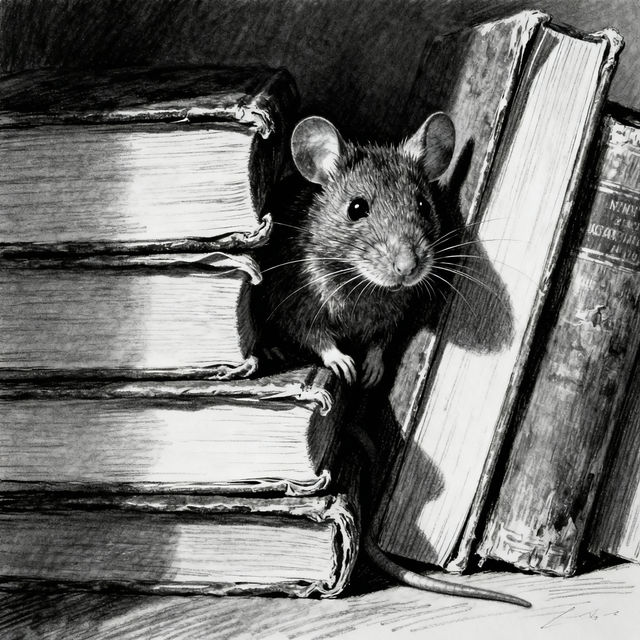
Rats Drawing - AI Generated Art
Discover a unique collection of AI-generated rats drawings. Perfect for artists, enthusiasts, or anyone looking for creative inspiration. Create your own rat art with NightCafe.

Happy Birthday Kevin Images - Created with AI
Celebrate Kevin's special day with unique AI-generated Happy Birthday Kevin images. Explore a gallery of creative birthday visuals or create your own personalized message.

Iwo Jima Pictures
Explore powerful AI-generated Iwo Jima pictures, capturing the intensity and emotion of the historic battle. See unique artistic interpretations and create your own historical scenes.

Happy Thanksgiving Blessings Images 2024
Explore stunning AI-generated Happy Thanksgiving Blessings Images for 2024. Find inspiration and create unique holiday greetings to share with loved ones. Celebrate with beautiful AI art.
Frequently Asked Questions
Everything You Need to Know About Generating Lightning Strike Art
How can I create my own AI-generated lightning strike drawings?
To create your own lightning strike art, start by crafting a descriptive prompt. Include keywords related to storms, lightning, the specific type of sky or landscape you envision, and any desired artistic styles (e.g., 'dramatic lightning over a stormy ocean, digital painting', 'abstract lightning bolts in a dark sky, neon art'). Experiment with different phrasing and details to achieve unique results.
What kind of prompts work best for generating dramatic lightning art?
For dramatic lightning art, focus on evocative language. Use terms like 'intense', 'powerful', 'electrifying', 'vibrant', 'crashing', and 'shattering'. Specifying the color of the lightning, the surrounding atmosphere (e.g., 'rainy', 'cloudy', 'dark'), and the setting (e.g., 'mountains', 'cityscape', 'forest') will help the AI capture the dramatic essence you're looking for.
Can I generate different styles of lightning strike art?
Absolutely! NightCafe's AI models can generate lightning strike art in a wide variety of styles. You can request styles like 'photorealistic', 'impressionistic', 'abstract', 'surreal', 'cyberpunk', 'fantasy', or even mimic the styles of famous artists. Simply include your desired style in the prompt.
What are some common issues when generating storm or lightning art, and how can I fix them?
Sometimes, lightning might not appear as prominent as desired, or the storm elements could be too subtle. To enhance these aspects, try using stronger keywords for lightning and storms, such as 'massive lightning bolt', 'supercell thunderstorm', or 'intense electrical discharge'. You can also experiment with different aspect ratios or models, as some may interpret dramatic effects more effectively. Adjusting negative prompts to exclude unwanted elements can also refine the output.