

- Galleries
- Mechanical Drawing Pencil Art Gallery
Mechanical Drawing Pencil Art
Discover intricate mechanical drawing pencil art. Generate your own unique designs, from technical sketches to artistic illustrations, with our AI-powered tools.

As seen in








Mechanical Drawing Pencil Art Gallery
A curated collection of AI-generated art featuring mechanical drawing pencils, showcasing precision, detail, and creative artistic expression.


Didn't find what you were looking for? Create your own below!
Create your own Mechanical Drawing Pencil Art images
Discover the magic of Text to Image AI by creating your own unique images. Edit the prompt below to customize your creation.
No payment or credit card required.

Intricate Detail, Effortless Creation
Explore Stunning Mechanical Pencil Drawings
Dive into a world of meticulous detail with our AI's ability to craft stunning Mechanical Drawing Pencil art. Explore a vast gallery showcasing everything from delicate linework to complex, shaded forms. Whether you seek inspiration for your next project or a unique piece of art, our tools bring the precision and beauty of pencil artistry to your fingertips.
Create Your Own Mechanical Drawing Pencil Art
Step 1
Describe Your Vision
Begin by describing the mechanical drawing or pencil art you envision in the prompt box. Be specific about the subject, style (e.g., technical sketch, blueprint, artistic illustration), line weight, shading, and any particular elements you want to include. The more detail you provide, the closer the AI can get to your desired outcome.
Step 2
Generate Your Artwork
After crafting your prompt, click the "Generate" button. The AI will process your description and create a unique piece of mechanical drawing pencil art based on your input. You can then review the generated image.
Step 3
Download & Share
Once you are happy with the generated artwork, you can download it in high resolution to use in your projects or share it with others. Explore the gallery for more inspiration or refine your prompt for new creations!

Precision Engineering, Instantly
Generate Technical Sketches With AI
Leverage the power of AI for seamless technical sketch generation. Our tools excel at creating precise, clear diagrams and blueprints, perfect for engineers, designers, and architects. Bring your concepts to life with accurate lines and annotations, streamlining your workflow and enhancing project visualization. Generate Technical Sketches with AI for unparalleled clarity and speed.
More Galleries
Wall Art For Photos - AI Generated
Discover unique AI-generated wall art designed to complement your photos. Explore diverse styles and create personalized art pieces that enhance any space on NightCafe.
Dinosaur Coloring Pictures - Made With AI
Explore a vibrant collection of AI-generated dinosaur coloring pictures. Perfect for kids and adults, these unique designs offer endless creative fun. Start coloring your favorite prehistoric creatures today!

Climate Art
Discover powerful climate art created with AI. Explore evocative imagery that highlights environmental changes and inspires action. Generate your own climate art today.
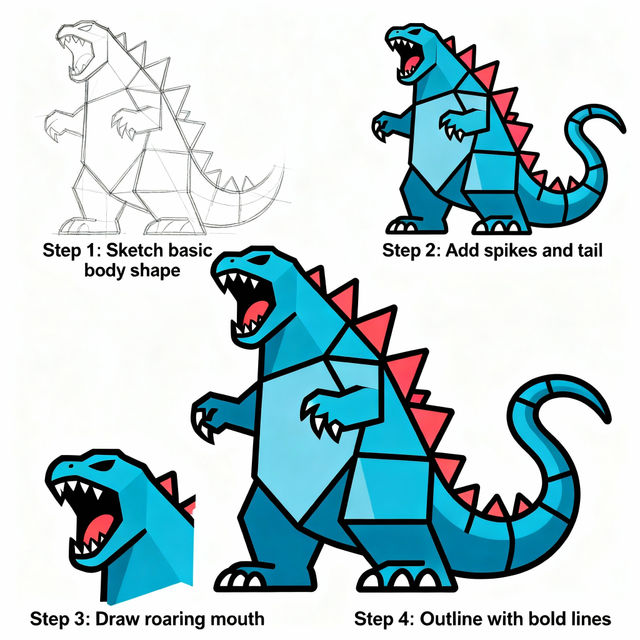
Easy Godzilla Drawing
Explore an easy Godzilla drawing gallery. Get inspired by AI-generated Kaiju art and learn how to create your own Godzilla illustrations effortlessly with our tools.
Frequently Asked Questions
Your Questions About Mechanical Drawing Pencil Art, Answered
How can I generate mechanical drawing pencil art that looks precise and detailed?
To achieve precise and detailed mechanical drawing pencil art, focus on descriptive prompts. Include terms like 'technical sketch,' 'blueprint,' 'detailed linework,' 'cross-section,' 'orthographic projection,' and specify the subject matter (e.g., 'engine part,' 'architectural detail,' 'gear mechanism'). Mentioning 'pencil sketch' or 'graphite drawing' will help the AI adopt the desired medium. Experiment with different AI models available on NightCafe, as some may be better suited for sharp, technical aesthetics.
What kind of subjects are best suited for this mechanical drawing style?
This style is ideal for subjects that benefit from clarity, precision, and a sense of technical accuracy. Think about engineering components, architectural elements, mechanical devices, scientific diagrams, blueprints, schematics, and even intricate abstract patterns that rely on clean lines and shading. The AI can capture the essence of detailed linework, making it perfect for anything requiring a structured and precise visual representation.
Can I create both artistic illustrations and technical diagrams using these tools?
Absolutely. Our AI tools are versatile. You can generate highly accurate and clear technical sketches and blueprints for professional use, perfect for engineers, designers, and architects. Simultaneously, you can explore the artistic side by creating more illustrative pieces that capture the aesthetic of pencil drawing, focusing on mood, texture, and composition for unique artistic expressions.
What if my generated image isn't precise enough? How can I improve it?
If your generated art lacks the desired precision, try refining your prompt. Add more specific keywords related to technical drawing, such as 'fine lines,' 'stippling,' 'hatching,' 'vector art style,' or 'CAD drawing.' You can also experiment with negative prompts to exclude elements that detract from the technical feel, like 'blurry,' 'smudged,' or 'painterly.' Adjusting parameters like 'steps' or 'CFG scale' (if available in the specific model you are using) can also influence the output's detail and adherence to the prompt.