

- Galleries
- Neutral Aesthetic Wallpapers
Neutral iPhone Wallpapers
Discover a gallery of serene, neutral iPhone wallpapers. Perfect for a minimalist aesthetic, these AI-generated designs offer a calming backdrop for your device. Create your own.

As seen in








Neutral Aesthetic Wallpapers
Explore a curated collection of AI-generated neutral iPhone wallpapers. Find minimalist and calming designs to personalize your phone with subtle elegance.


Didn't find what you were looking for? Create your own below!
Create your own Neutral iPhone Wallpapers images
Discover the magic of Text to Image AI by creating your own unique images. Edit the prompt below to customize your creation.
No payment or credit card required.

Calming Digital Art
Create Serene Iphone Wallpapers
Transform your device with our AI-generated collection of serene, Neutral iPhone Wallpapers. Each design is crafted to offer a moment of calm, featuring soft gradients and subtle textures that complement a minimalist aesthetic. Easily create your own unique backdrop that brings peace to your everyday.
Create Your Own Minimalist Wallpaper
Step 1
Describe Your Ideal Wallpaper
Start by describing the serene, neutral aesthetic you envision for your iPhone wallpaper. Think about colors, textures, and the overall mood. For example, try prompts like 'soft beige gradient with subtle linen texture' or 'minimalist abstract shapes in muted earth tones.' The more detail you provide, the closer the AI can get to your ideal design.
Step 2
Generate Your Design
Once you've crafted your perfect prompt, click the 'Generate' button. Our AI will then process your description and create a unique, minimalist wallpaper tailored to your specifications.
Step 3
Download & Enjoy
After your wallpaper is generated, you can download it in high resolution to use on your iPhone. Feel free to share your calming creation with the community or generate more variations until you find the perfect fit!

Effortless Aesthetic Design
Generate Minimalist Phone Backgrounds For A Serene Aesthetic
Discover the power to Generate Minimalist Phone Backgrounds that perfectly capture a serene aesthetic. Our advanced AI models allow you to explore a variety of calming palettes and understated patterns, ideal for anyone seeking a clean, uncluttered look for their smartphone. Elevate your device's style with pure simplicity.
More Galleries

Osprey Images - Created With AI
Explore a captivating gallery of AI-generated Osprey images. Discover unique artistic interpretations and realistic depictions of these magnificent birds of prey. Create your own osprey art today!
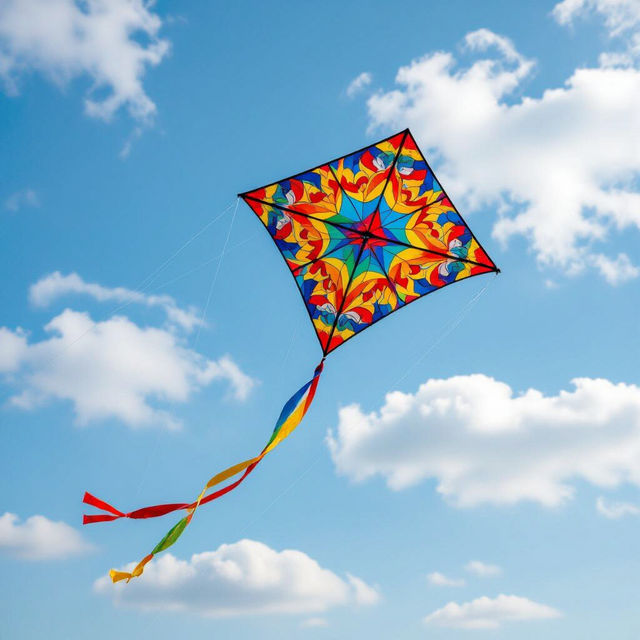
Kite Pictures - AI Generated
Discover a vibrant collection of AI-generated kite pictures. Get inspired by unique designs and flying scenes, then create your own stunning kite art with NightCafe.

Cute Girly 4th Of July Wallpaper
Celebrate the 4th of July with adorable, girly wallpapers! Browse and create unique, festive designs perfect for your devices. Get inspired by cute patriotic themes and AI-generated art.

Religious Thanksgiving Images
Explore a collection of religious Thanksgiving images that blend gratitude and faith. Find inspiring visuals celebrating the holiday's spiritual meaning and share the joy of Thanksgiving.
Frequently Asked Questions
Frequently Asked Questions About Our Neutral iPhone Wallpapers
What makes these iPhone wallpapers 'neutral' and 'minimalist'?
Our neutral and minimalist iPhone wallpapers are designed with a focus on understated elegance. They feature calming color palettes, soft gradients, subtle textures, and uncluttered compositions. The aim is to provide a serene and aesthetically pleasing backdrop that doesn't distract, perfect for those who appreciate a clean and sophisticated look for their devices.
Can I create my own custom neutral iPhone wallpaper using NightCafe?
Absolutely! This gallery is a showcase of what's possible, but you have the power to generate your own unique neutral iPhone wallpapers. By utilizing our AI generation tools, you can experiment with different prompts, styles, and color schemes to create a custom design that perfectly matches your personal aesthetic and brings a sense of peace to your device.
What AI models are best for creating minimalist wallpapers?
While many of our AI models can produce beautiful results, models like Stable Diffusion and Imagen are often excellent choices for minimalist designs. They offer fine-grained control over style and detail, allowing for the creation of subtle gradients, clean lines, and soft textures that are characteristic of a minimalist aesthetic. Experiment with different models to see which best captures the serene look you desire.
How can I ensure my generated wallpaper fits my iPhone screen perfectly?
When generating your wallpaper, pay attention to the aspect ratio and resolution settings. For most iPhones, a vertical aspect ratio (like 9:16 or similar) is ideal. You can often specify these dimensions in the generation settings or use prompts that suggest a 'phone wallpaper' or 'vertical orientation' to guide the AI. After generation, you can usually crop or resize the image within your phone's settings or a photo editing app to ensure a perfect fit.