

- Galleries
- Rococo Wallpaper Collection
Rococo Wallpaper
Discover exquisite Rococo wallpaper designs. Browse ornate patterns and elegant scenes, then create your own unique Rococo wallpapers with AI on NightCafe.

As seen in








Rococo Wallpaper Collection
A curated gallery showcasing AI-generated Rococo wallpapers, featuring intricate details, playful motifs, and the distinctive elegance of the Rococo era.


Didn't find what you were looking for? Create your own below!
Create your own Rococo Wallpaper images
Discover the magic of Text to Image AI by creating your own unique images. Edit the prompt below to customize your creation.
No payment or credit card required.

Elegant Historical Designs
Explore Rococo Style Wallpapers
Step back in time and immerse yourself in the opulence of Rococo. Our gallery showcases a stunning collection of AI-generated Rococo wallpapers, featuring intricate details, soft pastel palettes, and whimsical motifs. Discover designs that capture the lighthearted elegance and romanticism of the 18th century, perfect for adding a touch of vintage charm to any digital space. Find your inspiration among these exquisite Rococo Wallpaper creations.
Craft Your Own Rococo Masterpiece
Step 1
Describe Your Dream Wallpaper
Begin by describing your ideal Rococo wallpaper in the prompt box. Think about specific elements like floral motifs, cherubs, pastel colors, gilded accents, and the overall mood you want to evoke. The more detail you provide, the better the AI can capture the essence of Rococo elegance.
Step 2
Generate Your Rococo Design
Once your prompt is ready, click the 'Generate' button. Our AI will then interpret your description and create a unique Rococo wallpaper design, bringing historical opulence into your digital space.
Step 3
Download & Share Your Creation
After your wallpaper is generated, you can download it in high resolution to use as you please. Feel free to share your exquisite creation with the NightCafe community or explore other users' designs for further inspiration!

Create Your Own Designs
Generate Rococo Patterns With AI
Unleash your creativity and design unique Rococo Patterns with our intuitive AI tools. Experiment with vibrant colors, delicate embellishments, and classic Rococo elements to generate wallpapers that are truly one-of-a-kind. Whether you seek playful scenes or sophisticated motifs, you can Generate Rococo Patterns with AI to perfectly match your aesthetic vision. Effortlessly bring your dream Rococo wallpaper to life.
More Galleries

Police Hat Drawings - Made With AI
Discover a unique collection of AI-generated police hat drawings. Perfect for inspiration or creating your own custom police-themed artwork with NightCafe's powerful AI tools.

Food Drawing Ideas - Made With AI
Explore a world of delicious food drawing ideas! Get inspired by AI-generated culinary art and create your own mouth-watering food drawings with NightCafe.
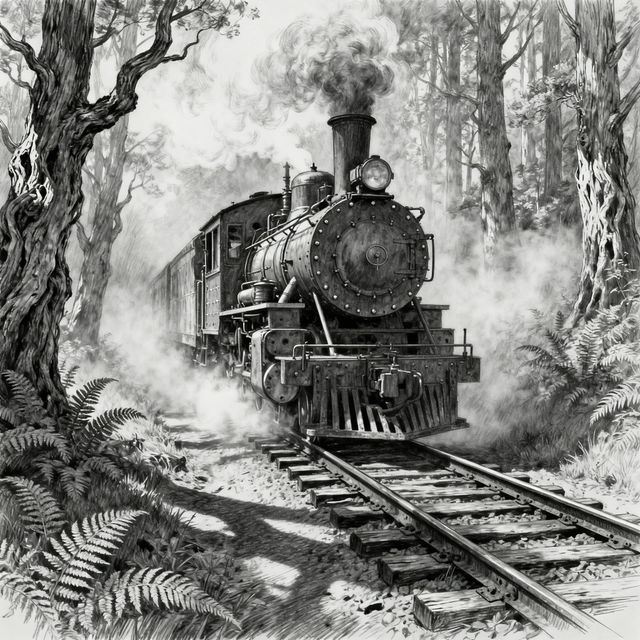
Steam Train Drawings
Explore a collection of stunning steam train drawings created by AI. Get inspired by these artistic renderings and generate your own unique steam train artwork with NightCafe.

Mars Images
Discover breathtaking AI-generated Mars images. Browse our gallery of Martian landscapes and explore the red planet, then create your own unique Mars image with NightCafe.
Frequently Asked Questions
Your Questions About Rococo Wallpaper Answered
What is Rococo style, and what elements should I include in my prompts?
Rococo is an 18th-century artistic style characterized by opulence, lightness, and elaborate ornamentation. When creating prompts for Rococo wallpaper, include keywords like 'ornate patterns,' 'pastel colors,' 'whimsical motifs,' 'delicate embellishments,' 'gold accents,' 'curving lines,' 'cherubs,' 'fleurs-de-lis,' and 'floral elements.' Mentioning specific Rococo artists or scenes can also guide the AI.
How can I ensure my AI-generated Rococo wallpaper has intricate details and a vintage feel?
To achieve intricate details and a vintage feel, use descriptive terms in your prompts such as 'highly detailed,' 'fine brushstrokes,' 'aged parchment texture,' 'subtle imperfections,' and 'classic 18th-century aesthetic.' Experimenting with different AI models available on NightCafe might also yield varied results in detail and texture.
Can I generate Rococo wallpapers with specific color palettes?
Absolutely! Rococo often features soft pastel palettes, but you can guide the AI to generate wallpapers in specific color schemes. Try including phrases like 'soft pink and gold,' 'mint green and cream,' 'sky blue and ivory,' or even 'vibrant jewel tones with gold accents' in your prompts to achieve your desired color combination.
What are the best ways to use AI to create unique Rococo patterns?
To create unique Rococo patterns, start with a base prompt describing the general Rococo style and then add specific elements you want to see repeated or interwoven. You can also experiment with combining traditional Rococo motifs with unexpected elements or modern interpretations. Utilizing NightCafe's advanced options, like negative prompts, can help refine the output and avoid unwanted elements.