

- Galleries
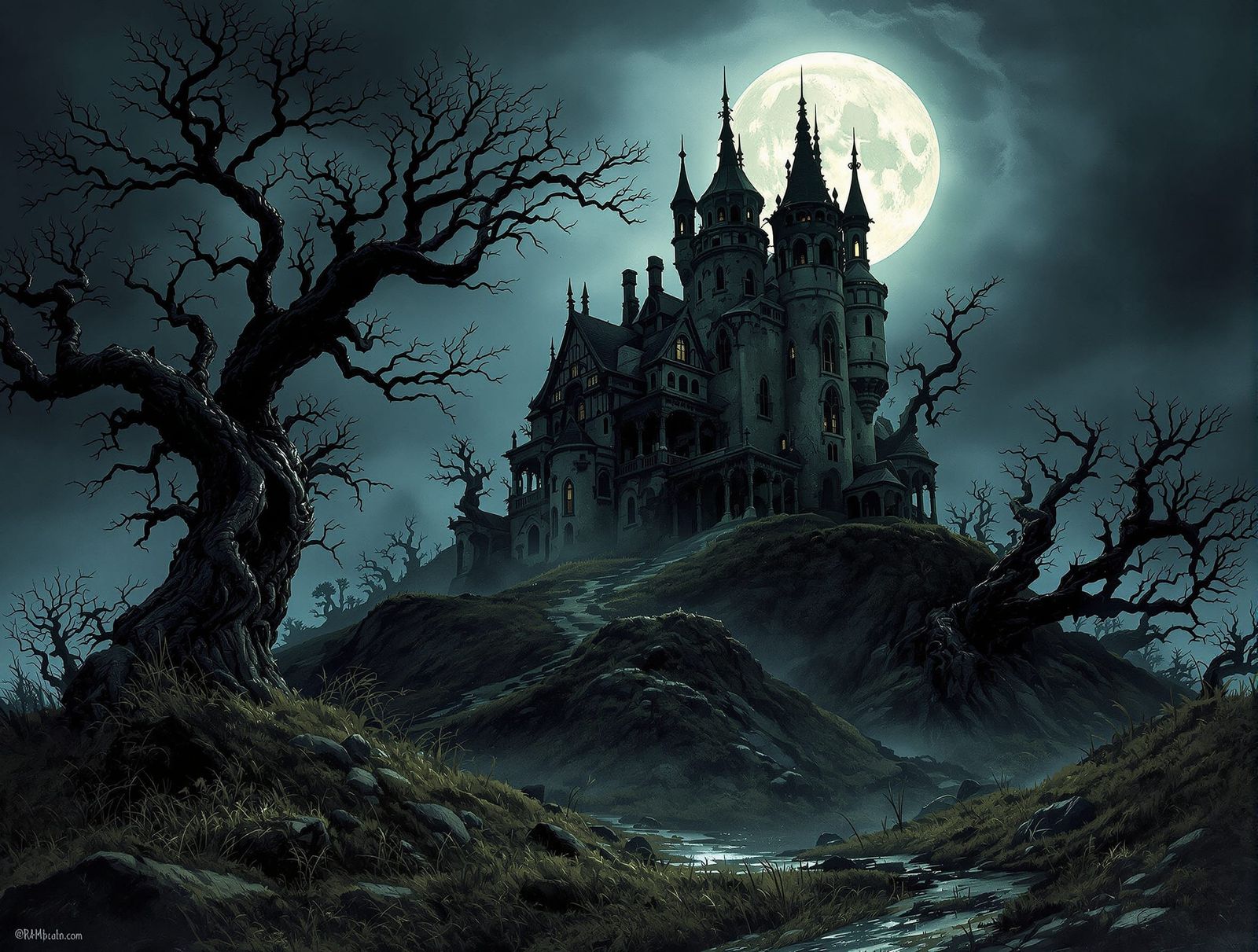
- Spooky Scary Drawings Gallery
Scary Drawings & Sketches
Unleash your inner artist with Spooky Scary Drawing Tutorials and Ideas! Explore our collection of Scary Drawings & Sketches and learn how to create chilling art.
As seen in








Spooky Scary Drawings Gallery
A chilling collection of AI-generated scary drawings and sketches, perfect for inspiring your next spooky masterpiece. Explore a variety of styles and concepts.


Didn't find what you were looking for? Create your own below!
Create your own Scary Drawings & Sketches images
Discover the magic of Text to Image AI by creating your own unique images. Edit the prompt below to customize your creation.
No payment or credit card required.

Master The Art Of Fear
Scary Drawings & Sketches
Dive into the realm of Scary Drawings & Sketches with our comprehensive tutorials. Whether you're a beginner or an experienced artist, discover techniques to create chilling artwork. Explore our collection of Spooky Scary Drawing Tutorials And Ideas and learn to master the art of fear. Perfect your horror art skills!
Create Spooky Scary Drawings
Step 1
Input Your Spooky Vision
Describe the spooky drawing you envision in the prompt box. Include details about the subject, setting, and mood. The more specific you are, the better the AI can capture your vision. Consider adding elements like 'haunted house,' 'creepy creature,' or 'eerie forest' to guide the AI.
Step 2
Generate Your Scary Drawing
Once you've crafted your perfect prompt, click the 'Generate' button. NightCafe AI will then transform your description into a chilling piece of art. Experiment with different prompt variations to achieve your desired level of spookiness!
Step 3
Share Your Spine-Chilling Art
Once your spooky drawing is generated, download it to share with friends or use in your projects. You can also share your creation with the NightCafe community to inspire other artists and get feedback on your terrifying masterpiece!

AI-powered Horror Art
Horror Drawings With Nightcafe AI Image Generator
Unleash the power of NightCafe AI Image Generator to create stunning Horror Drawings. Explore unique styles and generate terrifying images with ease. Our AI tools make it simple to bring your darkest visions to life, offering endless possibilities for your Horror Drawings With NightCafe AI Image Generator creations. Start your spine-chilling journey today!
More Galleries
Black Aesthetic Wallpaper
Explore our Stylish Black Aesthetic Wallpaper Collections and transform your digital space. Find the perfect Black Aesthetic Wallpaper to reflect your style and enhance your screens.
Plant Drawing & Sketches
Explore Detailed Plant Drawing Tutorials and Nature Art. Transform simple sketches into detailed botanical illustrations with our AI-powered tools. Perfect your Plant Drawing & Sketches today!

Blue Aesthetic Wallpaper
Transform your screens with our Blue Aesthetic Wallpaper designs! Discover a curated collection of Soft Blue Aesthetic Wallpaper Designs perfect for adding a serene touch to any device.
3d Images & Visuals
Explore a world of depth and realism with our stunning 3D Images and Visual Effects gallery. Witness the power of AI in creating immersive 3D Images & Visuals.
Frequently Asked Questions
Frequently Asked Questions About Spooky Scary Drawing Tutorials and Ideas
What kind of drawing tutorials and ideas can I find in this gallery?
Our gallery offers a variety of drawing tutorials and ideas perfect for creating spooky and scary artwork. Whether you're a beginner or an experienced artist, you'll find inspiration and guidance to master the art of horror drawings and sketches. We cover techniques, styles, and concepts to help you bring your chilling visions to life.
Can I use NightCafe's AI Image Generator to create spooky drawings if I'm not confident in my drawing skills?
Absolutely! NightCafe's AI Image Generator can be a powerful tool for creating horror drawings. You can use text prompts to describe your desired scene, characters, and atmosphere, and the AI will generate unique and terrifying images based on your input. Experiment with different styles and settings to achieve the perfect look for your spooky creations. NightCafe also offers a variety of AI models, such as Stable Diffusion and Imagen, which you can use to create your horror drawings.
What are some tips for creating truly chilling and scary drawings?
To create truly chilling artwork, consider using dark color palettes, dramatic lighting, and unsettling imagery. Experiment with textures and details to add depth and realism to your drawings. Think about the story you want to tell and use composition to create a sense of unease and suspense. Don't be afraid to explore different styles, from realistic horror to more abstract and surreal interpretations. Try using a negative prompt to prevent the AI from generating unwanted elements.
Can I refine the images generated by the AI for my spooky drawings?
Yes! You can refine the images generated by NightCafe's AI Image Generator to further enhance your spooky drawings. You can use inpainting to edit specific areas of the image, add details, or correct any imperfections. Additionally, you can use image editing software to adjust colors, contrast, and other visual elements to achieve your desired effect. Experiment with different post-processing techniques to create a truly unique and terrifying final product.
Are the drawing tutorials suitable for all skill levels?
Our tutorials cater to a wide range of skill levels, from beginners to experienced artists. We offer step-by-step guides and demonstrations that break down complex techniques into manageable steps. Whether you're just starting out or looking to refine your skills, you'll find valuable resources to help you improve your horror drawing abilities. Don't be afraid to experiment and try new things – the most important thing is to have fun and unleash your creativity!