

- Galleries
- AI Schematic Diagram Drawings
Schematic Diagram Drawings - AI Generated
Explore a gallery of intricate schematic diagram drawings created by AI. Get inspired by technical illustrations and generate your own unique diagrams with NightCafe.

As seen in








AI Schematic Diagram Drawings
A collection of diverse and detailed schematic diagram drawings, perfect for inspiration in engineering, electronics, or technical art projects.


Didn't find what you were looking for? Create your own below!
Create your own Schematic Diagram Drawings - AI Generated images
Discover the magic of Text to Image AI by creating your own unique images. Edit the prompt below to customize your creation.
No payment or credit card required.

Design With Precision And Ease
Create Your Own Schematic Diagram Drawings
Unlock your creativity with our intuitive AI tools to craft custom schematic diagram drawings. Whether for engineering, education, or conceptual visualization, generate unique and detailed diagrams that perfectly match your vision. Explore endless possibilities and bring your technical ideas to life with ease.
Create Your Own Schematic Diagrams
Step 1
Describe Your Schematic
Begin by entering a detailed description of the schematic diagram you envision in the prompt box. Specify the type of diagram (e.g., circuit, flowchart, network), the components to include, the desired style (e.g., blueprint, minimalist, technical illustration), and any specific layout or labeling requirements. The more detail you provide, the more accurate and tailored your AI-generated diagram will be.
Step 2
Generate Your Diagram
After crafting your prompt, click the 'Generate' button. Our AI will process your description and create a unique schematic diagram based on your specifications. You can generate multiple variations to explore different visual interpretations of your request.
Step 3
Download & Share Your Creation
Once your schematic diagram is generated, you can download it in a high-resolution format suitable for your project needs. You also have the option to share your creation with the NightCafe community, inspiring others and receiving valuable feedback.

Visualize Complex Concepts Clearly
AI-generated Technical Illustrations For Your Projects
Elevate your projects with stunning AI-generated technical illustrations. Our gallery offers a diverse range of styles, from minimalist blueprints to complex, multi-layered diagrams. Perfect for presentations, documentation, or adding a professional touch, these AI creations provide clear and compelling visual explanations for any technical subject.
More Galleries

Manufacturing Images - Made With AI
Discover a diverse collection of AI-generated manufacturing images. Visualize industrial processes, machinery, and innovative production lines to inspire your next project.

Art During The Renaissance
Discover the beauty of Art During The Renaissance reimagined with AI. Browse stunning classical art pieces and create your own inspired works on NightCafe.
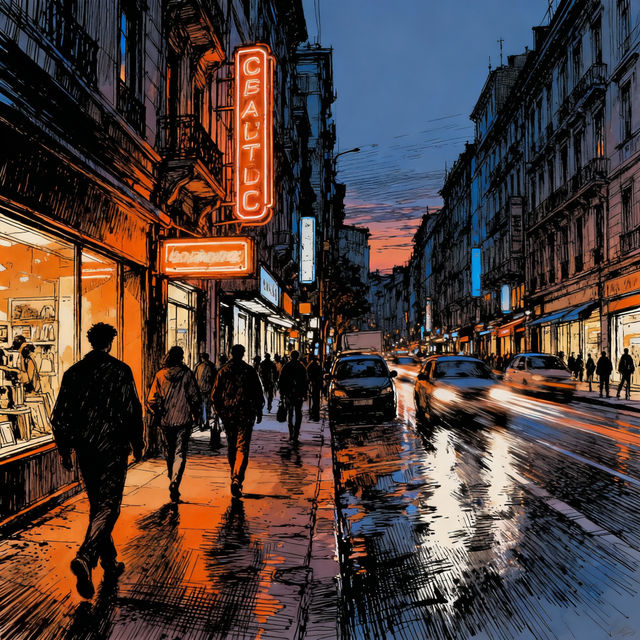
Urban Drawings - AI Generated Art
Discover unique urban drawings created by AI. Browse a gallery of cityscapes and street scenes, or generate your own urban art with NightCafe's powerful tools.

Picture Prompts for Writing
Discover unique picture prompts for writing to spark your creativity. Explore AI-generated images that inspire stories, characters, and scenes. Start writing your next masterpiece today!
Frequently Asked Questions
Your Questions About AI-Generated Schematic Diagrams, Answered
How can I generate schematic diagrams that are technically accurate?
To generate accurate schematic diagrams, focus your prompts on specific technical terms, components, and their connections. Clearly describe the function and layout you envision. Experiment with styles like 'blueprint,' 'technical drawing,' or 'circuit diagram' to guide the AI towards a more precise output. Reviewing and iterating on your prompts based on the results is key to achieving technical fidelity.
What kind of projects are best suited for AI-generated schematic diagrams?
AI-generated schematic diagrams are excellent for a wide range of projects, including engineering concepts, educational materials, technical documentation, product design mockups, and conceptual visualizations. They are particularly useful when you need to quickly illustrate complex systems, explore different design ideas, or create clear visual explanations for presentations without requiring highly specialized drafting software.
Can I customize the style and complexity of the schematic diagrams?
Yes, you can significantly customize the style and complexity of the schematic diagrams. When creating your prompts, specify desired aesthetics such as 'minimalist,' 'detailed,' 'hand-drawn,' or 'modern.' You can also influence complexity by requesting specific numbers of components, layers, or connections. Our various AI models may also offer different stylistic interpretations, so feel free to experiment with them to find the best fit for your vision.
What if the generated diagram isn't exactly what I need? How can I refine it?
If a generated diagram isn't perfect, you can refine it through prompt adjustments. Try adding more specific details about the components or their arrangement. You can also use negative prompts to exclude elements you don't want. If the style is off, try different style keywords or select a different AI model. For minor touch-ups, consider using image editing software after generation.