

- Galleries
- Trendy Wallpaper For Phone Backgrounds Gallery
Wallpaper For Phone & Devices
Discover trendy wallpaper for phone backgrounds on NightCafe! Elevate your mobile experience with our stunning collection of AI-generated designs. Find the perfect wallpaper for phone and devices and express your unique style.

As seen in








Trendy Wallpaper For Phone Backgrounds Gallery
Explore a diverse collection of trendy AI-generated wallpapers perfect for phone backgrounds. Find unique designs to personalize your phone and devices with stunning visuals.


Didn't find what you were looking for? Create your own below!
Create your own Wallpaper For Phone & Devices images
Discover the magic of Text to Image AI by creating your own unique images. Edit the prompt below to customize your creation.
No payment or credit card required.

Personalize Your Mobile
Wallpaper For Phone & Devices
Transform your phone's aesthetic with our curated selection of Wallpaper For Phone & devices. Explore a diverse range of Trendy Wallpaper For Phone Backgrounds, ensuring your device always reflects your unique taste. Discover Stylish Phone Wallpaper Collections and find the perfect backdrop to complement your daily life.
Create Trendy Phone Wallpapers with AI
Step 1
Input Your Wallpaper Vision
Describe the trendy wallpaper you envision for your phone's background in the prompt box. Include details about colors, patterns, and any specific themes or styles you'd like to see. The more specific you are, the better the AI can capture your vision!
Step 2
Generate Your Unique Wallpaper
Once you've crafted the perfect prompt, click the 'Generate' button. Our AI will then transform your description into a unique and stylish phone wallpaper. Get ready to see your idea come to life!
Step 3
Download and Share Your Style
Once your trendy wallpaper is generated, you can download it in high resolution and set it as your phone's background. Share your creation with friends or on social media, and let your unique style shine!

Create Unique Designs
Generate Phone Wallpaper With Abstract Designs
Unleash your creativity and Generate Phone Wallpaper with Abstract Designs using our AI tools. From minimalist patterns to complex compositions, create stunning visuals that capture the essence of modern art. Elevate your phone's look with unique Abstract Wallpaper tailored to your style.
More Galleries
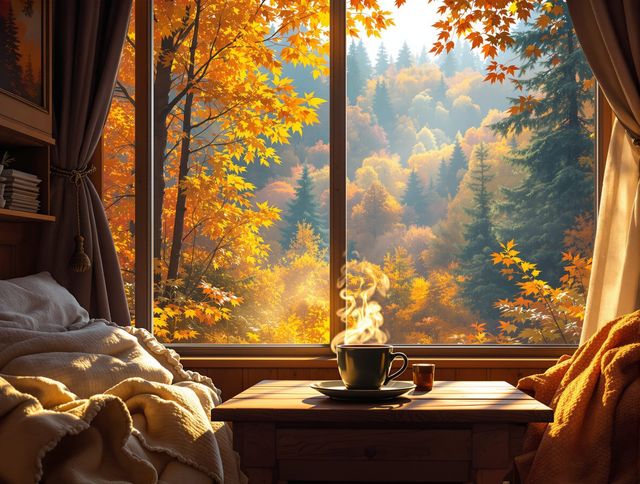
Fall Wallpaper & Seasonal Backgrounds
Transform your screens with Cozy Fall Wallpaper Designs For Your Devices! Embrace autumn with our collection of Fall Wallpaper & Seasonal Backgrounds. Find the perfect Fall Wallpaper to celebrate the season.

Skull Drawing & Illustrations
Explore a gallery of detailed skull drawings for art enthusiasts. Perfect for inspiration or study, these skull drawing & illustrations capture the intricate beauty of anatomy and artistic expression.

Dragon Drawing & Fantasy Art
Explore the world of Dragon Drawing & Fantasy Art with our AI-generated gallery. Discover Fantasy Dragon Drawings And Step-by-step Tutorials to ignite your imagination and artistic skills.
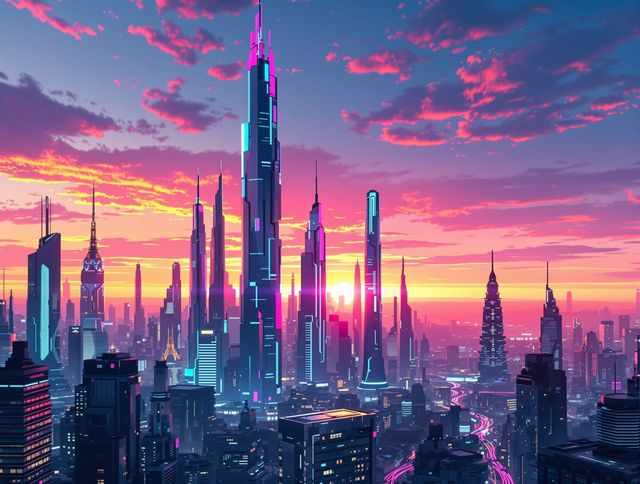
Transform Your Screen With High-Quality Wallpaper For Computer
Elevate your desktop with our AI-generated high-quality wallpaper for computer screens. Transform your screen with stunning visuals. Discover the perfect high-quality wallpaper for computer.
Frequently Asked Questions
Frequently Asked Questions About AI-Generated Phone Wallpapers
How do I generate trendy phone wallpapers using AI?
Creating trendy phone wallpapers with AI is easy! Simply input a text prompt describing the style, colors, and elements you desire. Our AI models will then generate unique wallpaper options based on your input. Experiment with different prompts to discover a variety of stunning designs.
Which AI models are best for creating phone wallpapers?
NightCafe offers a variety of AI models suitable for generating phone wallpapers, including Stable Diffusion, Imagen, and more. Each model has its own strengths, so experiment to find the one that best matches your desired aesthetic. For abstract designs, consider using models known for their artistic capabilities.
Can I use the AI-generated wallpapers I create on my phone?
Yes, you can use the AI-generated wallpapers you create on NightCafe for your phone's background. We encourage you to personalize your device with unique designs made using our AI tools. Share your creations with the community and inspire others!
How can I ensure my AI-generated phone wallpaper is high quality?
To create high-quality phone wallpapers, provide detailed prompts that specify the resolution and aspect ratio appropriate for your device. Experiment with different styles, such as abstract, minimalist, or photorealistic, to find the perfect look. You can also iterate on existing creations to refine the details and achieve your desired result.
What if I'm not happy with the AI-generated wallpaper? What can I do?
If you're not satisfied with the initial results, try refining your prompt. Be more specific about colors, textures, and composition. You can also use the 'Evolve' feature to create variations of an existing image, exploring different possibilities until you find the perfect wallpaper.