

- Galleries
- Wood Wall Art Inspiration Gallery
Wood Wall Art Ideas
Discover inspiring AI-generated wood wall art ideas. Browse unique designs and get creative inspiration for your next home decor project with NightCafe's AI.

As seen in








Wood Wall Art Inspiration Gallery
A curated collection of AI-generated wood wall art, showcasing diverse styles from rustic to modern geometric, perfect for home decor inspiration.


Didn't find what you were looking for? Create your own below!
Create your own Wood Wall Art Ideas images
Discover the magic of Text to Image AI by creating your own unique images. Edit the prompt below to customize your creation.
No payment or credit card required.

Endless Design Possibilities
Explore Unique Wood Wall Art Concepts
Dive into a curated collection of AI-generated wood wall art ideas, showcasing a vast array of styles and themes. From intricate geometric patterns to abstract natural forms, discover innovative concepts that will elevate any space. Let your imagination run wild as you browse these unique designs, perfect for sparking your next home decor project.
Create Your Unique Wood Wall Art
Step 1
Describe Your Vision
Describe the wood wall art you envision in the prompt box. Be specific about the style (e.g., geometric, abstract, minimalist), materials (e.g., oak, pine, distressed wood), colors, and any themes you'd like to incorporate. The more detail you provide, the better the AI can capture your idea.
Step 2
Generate Your Design
Once you've entered your prompt, click the 'Generate' button. Our AI will process your description and create a unique wood wall art design tailored to your specifications.
Step 3
Download & Inspire
After your AI-generated wood wall art is ready, you can download it in high resolution to use for your projects. Feel free to share your creation with the community or use it as inspiration for your next home decor masterpiece!

Your Vision, Realized
Generate AI Wood Art Designs With Nightcafe
Transform your creative ideas into tangible wood wall art with NightCafe's intuitive AI tools. Whether you're seeking a specific aesthetic or a completely novel concept, our platform empowers you to Generate AI Wood Art Designs with NightCafe. Effortlessly bring your vision to life and create custom pieces that perfectly match your style and space.
More Galleries

Blue Tree Wallpaper - AI Generated
Discover unique blue tree wallpapers generated by AI. Perfect for adding a touch of nature and color to your digital space. Create your own custom blue tree wallpaper today!

Picture Of Alien
Discover a universe of possibilities with AI-generated pictures of aliens. Browse unique extraterrestrial creations and bring your cosmic visions to life.
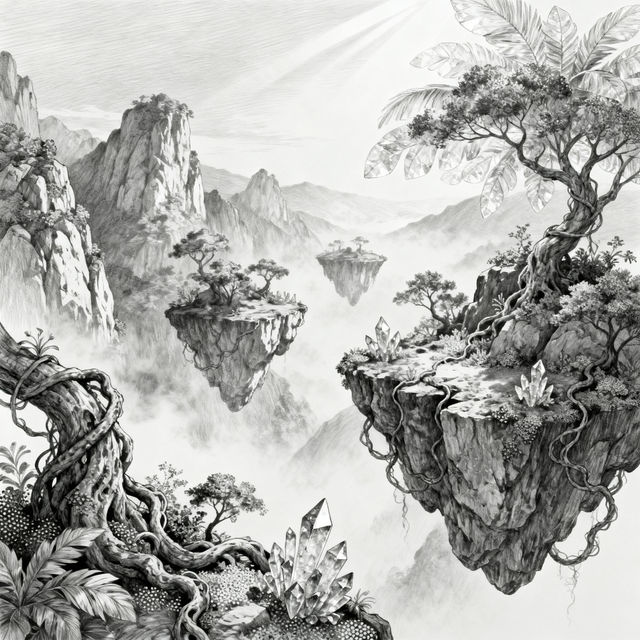
Pencil Sketch Ideas - AI Generated
Discover a world of pencil sketch ideas generated by AI. Perfect for artists seeking inspiration, these sketches showcase a variety of subjects and styles to spark your creativity.

Pictures Of The Planets Aligned
Discover breathtaking pictures of the planets aligned in stunning cosmic arrangements. Get inspired by AI-generated celestial art and create your own solar system visions.
Frequently Asked Questions
Your Questions About AI-Generated Wood Wall Art, Answered
How can I generate unique wood wall art designs with NightCafe?
To create your own AI-generated wood wall art, start by crafting a descriptive prompt. Include keywords related to wood, wall art, and the style you envision (e.g., 'geometric wood wall art,' 'abstract nature-inspired wood carving,' 'minimalist wooden mandala'). You can then use NightCafe's AI art generators, experimenting with different models and settings to achieve your desired look.
What styles of wood wall art can I create?
NightCafe's AI can generate a vast array of wood wall art styles. You can explore intricate geometric patterns, organic and abstract natural forms, minimalist designs, tribal motifs, celestial themes, and much more. The key is to experiment with your prompts to guide the AI toward the specific aesthetic you're aiming for.
Can I use these AI-generated designs for my own home decor projects?
Absolutely! The wood wall art ideas generated here are intended to inspire your creativity for home decor projects. You can use these designs as a starting point for your own creations, whether you plan to carve them, paint them, or use them as inspiration for a custom piece. Ensure you review our Terms of Service for specific usage rights.
What if I don't like the initial results for my wood wall art?
Don't worry if your first attempt isn't perfect! AI art generation is an iterative process. Try refining your text prompt by adding more detail, changing keywords, or specifying a different style. You can also experiment with different AI models available on NightCafe, as each one interprets prompts uniquely. Adjusting settings like 'creativity' or 'steps' can also yield different results.