

Diagram Generator
Visualize your ideas with our AI Diagram Generator. Create flowcharts, mind maps, and more. It can also function as a moodboard generator, helping you design stunning mood boards effortlessly.
No payment or credit card required.
As seen in








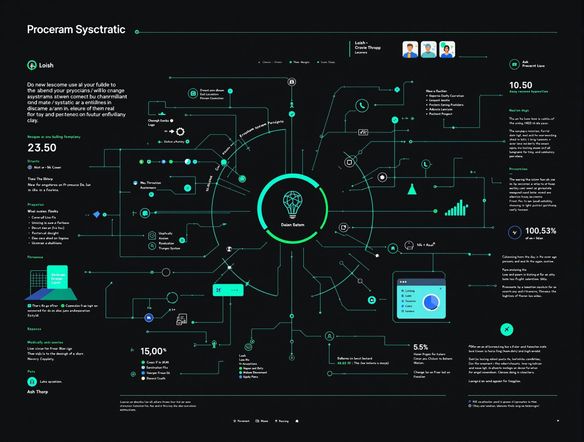
Clarity Through Visualization
Schematic Generator
Transform complex processes into clear, concise schematics with our AI. Perfect for project planning, software development, or any workflow that needs visual clarity. Use our AI moodboard generator to create visual representations of ideas and concepts, enhancing collaboration and understanding.
Creating Diagrams and Moodboards with AI
Step 1
Input Your Idea
Start by entering a detailed description of the diagram or moodboard you want to create in the prompt box. Be specific about the type of diagram (flowchart, mind map, etc.), the elements you want to include, and the overall style or theme you're aiming for. For moodboards, describe the aesthetic, color palette, and inspirational elements you envision.
Step 2
Generate Your Diagram or Moodboard
After crafting your prompt, click the 'Generate' button to let the AI work its magic. The AI will analyze your description and generate a visual representation of your idea, whether it's a diagram or a moodboard. Be patient as the AI processes your request and brings your vision to life.
Step 3
Download and Share Your Visual
Once your diagram or moodboard is generated, you can download it for your use. Share your creation with colleagues, friends, or the NightCafe community to gather feedback and inspiration. Use your AI-generated visual to enhance project planning, brainstorm ideas, or define your creative direction.
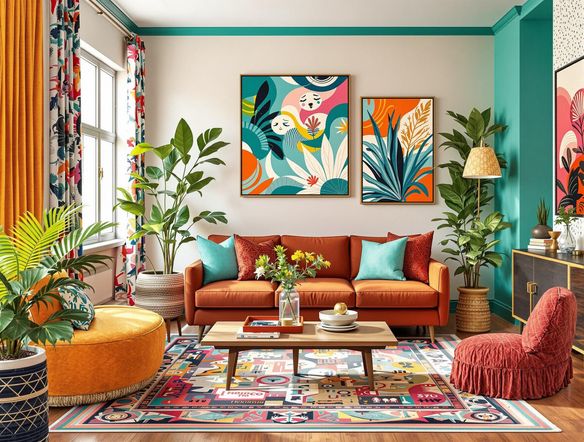
Inspire Your Creativity
Capture the essence of your vision with our AI-powered moodboard generator. Craft visually stunning moodboards to define project aesthetics, explore color palettes, and gather inspiration. Our mood generator lets you quickly iterate through different styles and themes, ensuring a perfect match for your creative direction.
Need inspiration?
Check out some of the top creations made by the NightCafe community.







Related Tools
Comparison Generator
Create captivating comparison images effortlessly! Use our innovative tool—more than just a dollar generator or fake money generator—to visually showcase products and ideas.
Tree Map Generator
Visualize hierarchical data effortlessly with our Tree Map Generator. Perfect for organizing complex information, from website structures to Twitch logo generator concepts.
Sitemap Generator
Optimize your website's structure effortlessly with our Sitemap Generator. Ensure search engine crawlers index your site effectively, improving SEO and user experience. Create a sitemap today!
Pictogram Generator
Create unique pictograms effortlessly! Our Pictogram Generator lets you design custom graphics for any project. It's also a fun custom t shirt generator or bootleg shirt generator for personalized apparel.
Frequently Asked Questions
Frequently Asked Questions About the AI Diagram and Moodboard Generator
What types of diagrams and moodboards can I create with this tool?
Our AI Diagram Generator allows you to create various types of diagrams, including flowcharts, mind maps, and process schematics. It can also function as a moodboard generator, helping you design stunning mood boards effortlessly. Simply input your ideas or data, and the AI will generate a visual representation for you.
How do I get the best results when using the AI Diagram and Moodboard Generator?
To get the best results, provide clear and concise inputs. For diagrams, specify the process or workflow you want to visualize. For moodboards, describe the theme, style, and elements you want to include. Experiment with different prompts to refine the output and achieve your desired visual representation.
Can I use the AI-generated diagrams and moodboards for commercial purposes?
Yes, you can use the generated diagrams and moodboards for commercial purposes, such as project planning, presentations, or marketing materials. Please adhere to our terms of service regarding usage rights and attribution.
What if I encounter issues or need help using the AI Diagram and Moodboard Generator?
The AI Diagram and Moodboard Generator is designed to be user-friendly and intuitive. However, if you encounter any issues, please consult our help documentation or contact our support team for assistance. Common troubleshooting steps include checking your input prompts, ensuring a stable internet connection, and clearing your browser cache.
How can I customize the style and theme of the diagrams and moodboards?
The AI Diagram and Moodboard Generator supports various styles and themes. You can specify your preferred style in the input prompt, such as 'modern,' 'minimalist,' 'vintage,' or 'futuristic.' You can also experiment with different color palettes and visual elements to customize the moodboard to your specific needs.