

Restaurant Logo Generator
Craft a unique brand identity with our Restaurant Logo Generator. Design memorable logos using a scrapbook font generator and scrapbook letters generator, tailored for your culinary venture.
No payment or credit card required.
As seen in








Brand Identity, Perfected
Stand out from the competition with a logo that reflects your restaurant's unique atmosphere and cuisine. Our AI logo generator allows you to experiment with various design elements, ensuring your logo resonates with your target audience and leaves a lasting impression.
Crafting Your Restaurant Logo with AI
Step 1
Describe Your Restaurant's Vision
Start by typing a detailed description of your restaurant's concept and desired logo style into the prompt box. Include specifics about your cuisine, ambiance, and target audience. For example, 'A modern Italian bistro logo with a minimalist design, featuring olive branches and a sans-serif font'.
Step 2
Generate Logo Options
After crafting your perfect prompt, click the 'Generate' button. Our AI will then conjure several unique logo options based on your description. Review each design carefully and select the one that best captures your restaurant's identity.
Step 3
Download and Share Your Logo
Once you've chosen your ideal logo, download it in high resolution for all your branding needs. Share your new logo with the NightCafe community to get feedback, or start using it immediately on your menus, website, and social media!
Fast, Easy, Impressive
Elevate your brand with a logo that captures the essence of your culinary vision. Whether you envision a rustic, hand-drawn design or a sleek, modern emblem, our AI provides the tools to create a logo that embodies your restaurant's unique identity and values.
Need inspiration?
Check out some of the top creations made by the NightCafe community.







Related Tools
AI Soccer Logo Generator
Create professional soccer logos instantly with our AI Soccer Logo Generator. Perfect for teams and clubs. Use our unblur image generator to refine and unblur generator outputs for crisp, high-quality designs.

Church Logo Generator
Design a meaningful emblem with our Church Logo Generator. Create unique symbols or use our reverse image generator to refine existing designs, ensuring a divine identity.
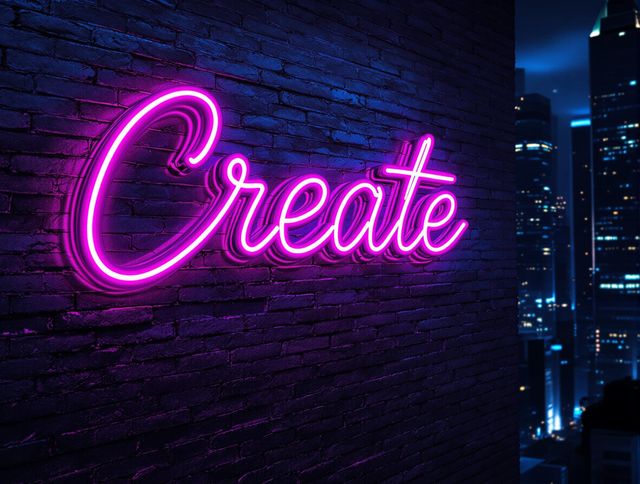
Neon Logo Generator
Create striking logos with our Neon Logo Generator! This high quality generator lets you craft eye-catching designs. Use our high quality image generator to instantly visualize your brand's identity in vibrant neon.

Photography Logo Generator
Craft a unique photography logo with our AI-powered generator. Design a memorable brand, perfect for watermarks or business cards. Need a shipping label generator free? Explore our other tools!
Frequently Asked Questions
Frequently Asked Questions About Designing Your Restaurant Logo with AI
How does the AI Restaurant Logo Generator work?
Our AI Restaurant Logo Generator allows you to create unique logos tailored to your culinary brand. You can experiment with various design elements, fonts, and styles to capture your restaurant's atmosphere and cuisine. The tool uses advanced AI models to generate logos based on your input, offering a range of customization options to refine your design.
What are some tips for creating effective prompts for my restaurant logo?
To achieve the best results, start by clearly defining your restaurant's brand identity, including your target audience, cuisine style, and desired aesthetic. When creating your prompt, be specific about the visual elements you want to incorporate, such as particular icons, colors, or fonts (e.g., scrapbook font, bold lettering). Experiment with different prompts and refine your selections until you achieve a logo that accurately reflects your brand.
Can I customize the logos generated by the AI?
Yes, the AI Restaurant Logo Generator offers a wide range of customization options. You can modify the generated designs by adjusting colors, fonts, layouts, and icon choices. You can iterate upon a design until it perfectly aligns with your vision. The available options depend on the specific AI model used for generation.
What can I use my AI-generated restaurant logo for?
The AI Restaurant Logo Generator can help you create logos suitable for various applications, including your website, social media profiles, menus, signage, and marketing materials. Ensure that you download the logo in a high-resolution format to maintain quality across different platforms.