

Scatter Plot Generator
Visualize your data effortlessly with our Scatter Plot Generator! Perfect for analyzing trends in AI home design generator outputs or AI interior design generator data. Create insightful charts now.
No payment or credit card required.

As seen in








Unlock Data Insights
Scatterplot Generator
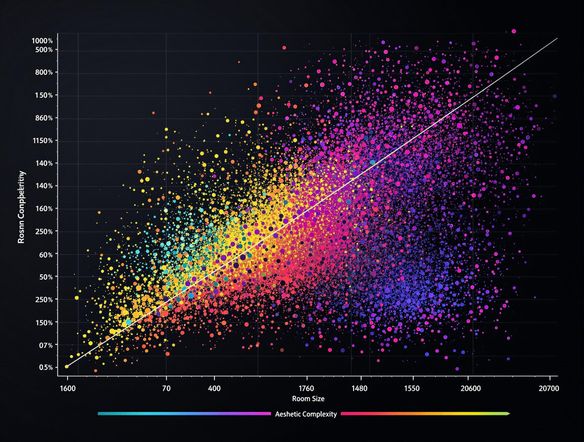
Visualize the performance of your AI room design generator with ease. Our Scatterplot Generator lets you quickly identify trends and outliers in your room generator data. Understand which AI parameters lead to the best interior designs and optimize your workflow.
Creating Scatter Plots for AI Design Data
Step 1
Input Your AI Design Data
Start by entering your data into the Scatter Plot Generator. Ensure your data is well-organized, with clear labels for each variable. Think about what relationships you want to visualize in your AI home design generator outputs and structure your input data accordingly.
Step 2
Generate Your Scatter Plot
After inputting your data, click the 'Generate' button to create your scatter plot. The AI will automatically plot the data points based on the variables you've provided. Explore different configurations to find the most insightful visualization of your AI interior design generator data.
Step 3
Share and Download Your Visualization
Once your scatter plot is generated, you can download it for use in reports or presentations. Share your visualizations with the NightCafe community to get feedback on your AI design data analysis!

Optimize Design Workflow
Transform raw data from your interior design AI generator into actionable insights. Compare different AI house generator outputs, analyze design element correlations, and refine your prompts for stunning, data-driven results. Make informed decisions and create better designs faster.
Need inspiration?
Check out some of the top creations made by the NightCafe community.







Related Tools

Comparison Generator
Create captivating comparison images effortlessly! Use our innovative tool—more than just a dollar generator or fake money generator—to visually showcase products and ideas.

Tree Map Generator
Visualize hierarchical data effortlessly with our Tree Map Generator. Perfect for organizing complex information, from website structures to Twitch logo generator concepts.

Sitemap Generator
Optimize your website's structure effortlessly with our Sitemap Generator. Ensure search engine crawlers index your site effectively, improving SEO and user experience. Create a sitemap today!

Pictogram Generator
Create unique pictograms effortlessly! Our Pictogram Generator lets you design custom graphics for any project. It's also a fun custom t shirt generator or bootleg shirt generator for personalized apparel.
Frequently Asked Questions
Frequently Asked Questions About the Scatter Plot Generator
What kind of data can I visualize with the Scatter Plot Generator?
Our Scatter Plot Generator allows you to visualize data from various sources, including AI home design generator outputs and AI interior design generator data. You can upload your data, customize the chart's appearance, and analyze trends to gain valuable insights.
How do I use the Scatter Plot Generator to visualize my data?
To get started, prepare your data in a CSV or similar format with at least two numerical columns. Upload the file to the Scatter Plot Generator, select the columns for the X and Y axes, and customize the appearance as needed. The generator will then create an interactive scatter plot for you to analyze.
How can a Scatter Plot Generator help me analyze my AI-generated design data?
The Scatter Plot Generator helps you identify correlations between different variables, spot outliers in your data, and understand the distribution of data points. This is particularly useful for analyzing the performance of AI house generator outputs or understanding the impact of different parameters on your AI interior design generator results.
Can I customize the appearance of the scatter plot?
Yes, you can customize various aspects of the scatter plot, including the colors of the data points, the axis labels, the chart title, and the size and shape of the markers. These customization options allow you to create clear and informative visualizations that effectively communicate your findings.
Can I use the Scatter Plot Generator with categorical data, such as different design styles?
While the Scatter Plot Generator is designed for visualizing numerical data, you can often represent categorical data numerically by assigning each category a numerical value. This allows you to explore relationships between categorical and numerical variables within your AI design data.