

- Galleries
- Money Wallpaper Gallery
Create Custom Money Wallpaper With AI
Transform your digital space with stunning, AI-generated money wallpaper. Explore our gallery for inspiration or create your own custom designs to reflect your financial goals and aspirations.

As seen in








Money Wallpaper Gallery
Browse our curated collection of AI-generated money wallpapers. From abstract designs to realistic depictions of wealth, find the perfect background to inspire success and abundance in your daily life.


Didn't find what you were looking for? Create your own below!
Create your own Create Custom Money Wallpaper With AI images
Discover the magic of Text to Image AI by creating your own unique images. Edit the prompt below to customize your creation.
No payment or credit card required.

Personalize Your Screens
Generate Unique Money Wallpaper
Craft stunning and unique Money Wallpaper to adorn your phone, tablet, or computer screens. Our AI art generator lets you visualize your financial goals with custom designs. Simply enter a text prompt and see your vision come to life with our advanced AI models.
Create Your Own Custom Money Wallpaper
Step 1
Describe Your Dream Wallpaper
Start by typing a detailed description of the money wallpaper you envision into the prompt box. Include specific denominations, styles (e.g., realistic, abstract, cartoonish), and any background elements or themes you desire. The more specific you are, the better the AI can capture your vision!
Step 2
Let the AI Generate
Once you've crafted your perfect prompt, click the 'Generate' button. Our AI will then work its magic, creating a unique and visually compelling money wallpaper based on your instructions. Be patient; great art takes time!
Step 3
Download and Share Your Wealth
Once your money wallpaper is generated, you can download it in high resolution for use on your phone, tablet, or computer. Share your creation with friends, family, or the NightCafe community and inspire others to visualize their financial goals!

Visualize Your Wealth
Create Dynamic Dollar Bills With Varying Denominations
Create Dynamic Dollar Bills with Varying Denominations for a unique and eye-catching design. Experiment with different styles, from realistic to abstract, and tailor the denominations to reflect your aspirations. Let our AI transform your vision into a powerful visual statement.
More Galleries

Create Aesthetic Fall Wallpaper With AI
Transform your phone or desktop with our Aesthetic Fall Wallpaper Generator. Capture the essence of autumn with stunning, personalized wallpapers. Browse aesthetic fall wallpaper or create your own.
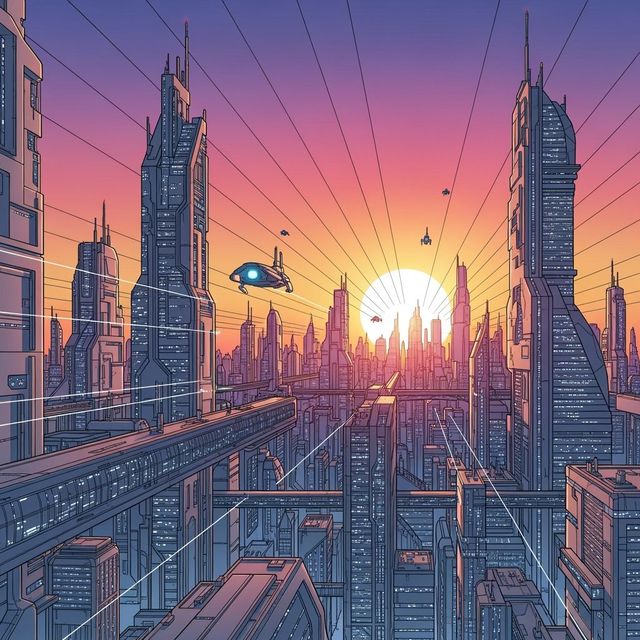
AI-Powered City Drawing Generator
Create beautiful city drawings with the power of AI. NightCafe's AI City Drawing Generator allows you to transform your ideas into stunning visual representations of urban landscapes. Browse city drawing examples or create your own.

AI Flower Art Generator
Explore the beauty of AI-generated flower art. Create stunning floral designs and botanical masterpieces with ease. Browse our gallery or generate your own flower art today.

Create Stunning Cyberpunk Art with AI
Unleash your creativity with our AI Cyberpunk Art Generator. Create stunning visuals inspired by dystopian futures. Browse cyberpunk art examples or create your own.
Frequently Asked Questions
Frequently Asked Questions About Creating Custom Money Wallpaper with AI
What kind of prompts work best for creating money wallpaper?
To generate high-quality money wallpaper, be specific in your prompts. Include details like the currency (dollars, euros, etc.), desired denominations, the overall style (realistic, abstract, cartoonish), and any specific visual elements you want to incorporate (e.g., stacks of cash, gold coins, financial charts). Experiment with different combinations to find what resonates with you.
Can I specify the currency and denominations used in my AI-generated money wallpaper?
Yes, you have full control over the currency and denominations. Clearly state your preferences in the prompt. For example, you could specify 'wallpaper featuring crisp hundred-dollar bills' or 'a pattern of gold coins and euro notes'. The more specific you are, the better the AI can match your vision.
What AI models are best suited for generating realistic-looking money wallpaper?
For realistic results, try using AI models known for their photorealistic capabilities, such as Stable Diffusion or Imagen. Experiment with different models to see which one best captures the texture, detail, and overall appearance of real currency. You can also adjust settings within the AI generator to enhance realism, such as increasing the level of detail or adding specific lighting effects.
Can I use the AI-generated money wallpaper for commercial purposes?
While you can generally use AI-generated images for personal and some commercial purposes, it's important to be mindful of copyright and trademark restrictions related to currency designs. Exercise caution when using the wallpaper for commercial endeavors and consider consulting legal advice to ensure compliance with applicable laws and regulations. Please also consult our terms of service.
What if I'm not happy with the initial results? How can I refine my AI-generated money wallpaper?
If you're not satisfied with the initial output, don't worry! Refine your prompt by adding more detail, adjusting the style, or specifying different visual elements. You can also try using negative prompts to exclude unwanted features. Experiment with different AI models and settings until you achieve the desired look. The iterative process of prompt engineering is key to creating the perfect AI-generated money wallpaper.